
How to Clean and Maintain Your Sewer Inspection Camera: Complete Guide
 Michael Carter
0 comments
Michael Carter
0 comments
Introduction
In the world of plumbing and industrial inspections, sewer cameras such as the Powerwill L09D are indispensable tools. They allow professionals to get a clear view of plumbing systems, identify blockages, and diagnose issues without invasive procedures. However, to keep your sewer camera in top working condition and ensure accurate diagnostics, regular cleaning and maintenance are crucial. This guide is designed for plumbing professionals, contractors, and facility managers who rely on these cameras for their work. We'll walk you through the essential steps to clean and maintain your sewer inspection camera, ensuring longevity and reliability.
↑ Back to topWhy Regular Cleaning is Essential
Sewer inspection cameras are exposed to harsh environments, including water, grime, and various debris. Over time, these elements can accumulate on the camera lens and cable, leading to degraded image quality and potential malfunctions. Regular cleaning not only preserves the clarity of the images captured but also prolongs the life of your equipment.
A clean camera ensures that you receive accurate diagnostics, helping you to identify issues such as cracks, blockages, and leaks efficiently. Additionally, regular maintenance prevents costly repairs and replacements, saving both time and money.
Step-by-Step Guide to Cleaning Your Sewer Camera
Step 1: Gather Your Cleaning Supplies
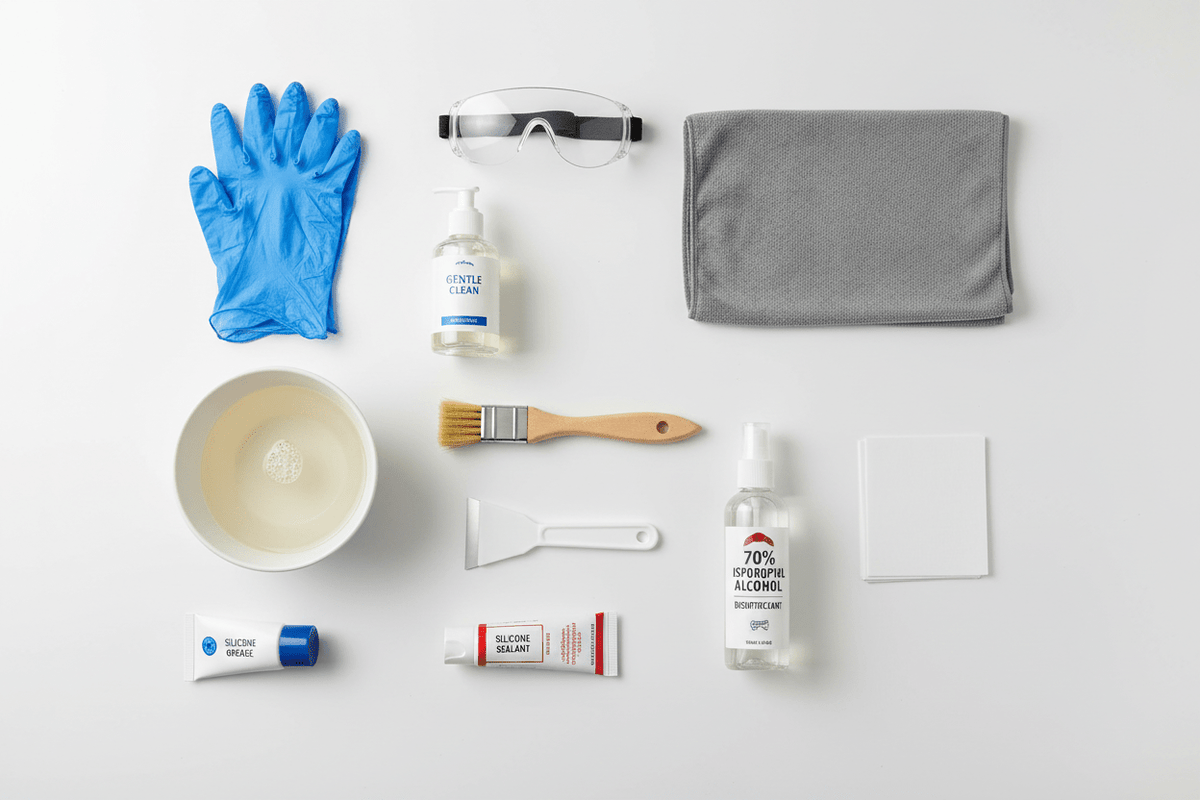
Before you begin cleaning your sewer camera, make sure you have the right materials on hand. You will need:
- A soft microfiber cloth
- Mild detergent or a specialized electronics cleaning solution
- A small brush with soft bristles
- Compressed air canister
- Isopropyl alcohol (70% concentration)
- A clean, dry towel
Having these supplies ready will streamline the cleaning process and ensure that you can effectively remove all dirt and grime from your device.
Step 2: Clean the Camera Head
The camera head is the most critical component, as it captures the images. Follow these steps to clean it effectively:
- Turn off the Camera: Ensure the camera is powered off and disconnected from any power source.
- Wipe with Microfiber Cloth: Gently wipe the camera lens with a microfiber cloth to remove loose dirt and debris.
- Apply Cleaning Solution: Dampen the cloth with a mild detergent or electronics cleaning solution and wipe the lens again. Avoid using excessive liquid to prevent damage.
- Brush Away Stubborn Grime: Use a soft-bristled brush to remove any stubborn dirt around the lens housing.
- Dry with a Towel: Use a clean, dry towel to gently dry the camera head, ensuring no moisture remains.
Step 3: Clean the Camera Cable
The camera cable is another essential part that needs regular cleaning. Dirt and grime can affect its flexibility and function:
- Inspect for Damage: Before cleaning, check the cable for any signs of wear or damage.
- Wipe Down: Use a microfiber cloth dampened with isopropyl alcohol to wipe the cable down, removing dirt and preventing bacteria buildup.
- Dry Thoroughly: Ensure the cable is completely dry before storing it to prevent mold or mildew development.
Step 4: Use Compressed Air for Hard-to-Reach Areas
Compressed air is excellent for removing dust and debris from places that are hard to reach with a cloth or brush:
- Target Crevices: Direct the compressed air at seams and crevices around the camera head and body.
- Short Bursts: Use short bursts to avoid moisture condensation that can occur with prolonged spraying.
Step 5: Regular Maintenance and Inspection
Regular maintenance goes hand in hand with cleaning. Here’s how you can maintain your sewer camera effectively:
- Inspect Connections: Regularly check all connections for wear and ensure they are secure.
- Check Battery Health: If your camera is battery-powered, monitor the battery health and replace it as needed.
- Store Properly: After cleaning and drying, store the camera in a protective case to prevent dust accumulation.
Conclusion
Maintaining your Powerwill L09D sewer inspection camera is essential for ensuring it provides reliable service over the long term. By following the cleaning and maintenance steps outlined in this guide, you can keep your equipment in excellent condition, delivering clear, accurate inspections every time. Regular checks and proper storage further enhance the longevity of your investment, minimizing downtime and repair costs.
Ready to upgrade your inspection equipment? Shop Professional Inspection Cameras at Powerwill.
↑ Back to topFAQ
How often should I clean my sewer inspection camera?
It is recommended to clean your sewer inspection camera after each use, especially if it has been exposed to particularly dirty or corrosive environments. Regular cleaning helps maintain image quality and equipment longevity.
What should I do if my camera lens is scratched?
If your camera lens becomes scratched, it may need professional repair or replacement. Avoid using abrasive materials for cleaning to minimize the risk of scratches.
Can I use household cleaners on my sewer camera?
Household cleaners can be too harsh for sensitive camera components. It's best to use a mild detergent or a cleaning solution specifically designed for electronics to avoid damage.
How do I know if my camera needs professional servicing?
If you notice persistent image distortion, unexplained malfunctions, or physical damage, it may be time to seek professional servicing to ensure the camera's functionality.
What is the best way to store my sewer inspection camera?
Store your camera in a dry, dust-free environment, ideally in its protective case. Ensure that the camera and all components are completely dry before storage to prevent mold and corrosion.
Can I clean the camera cable with water?
It's best to avoid using water directly on the camera cable. Instead, use isopropyl alcohol and a microfiber cloth for cleaning, as this prevents moisture-related damage.
Comments
No comments