
How to Use a Sewer Camera: Step-by-Step Guide for Beginners (2026)
 Michael Carter
0 comments
Michael Carter
0 comments
Introduction
If you're a professional plumber, contractor, or home inspector, you know that diagnosing pipe problems without visual confirmation is like flying blind. A sewer inspection camera has become an essential tool in the modern plumbing arsenal—saving time, reducing guesswork, and increasing customer trust.
What Is a Sewer Inspection Camera?
A sewer inspection camera (also called a drain camera, pipe inspection camera, or sewer scope) is a specialized video camera system designed to travel through pipes and sewer lines to provide real-time visual inspection of their interior condition.
How It Works
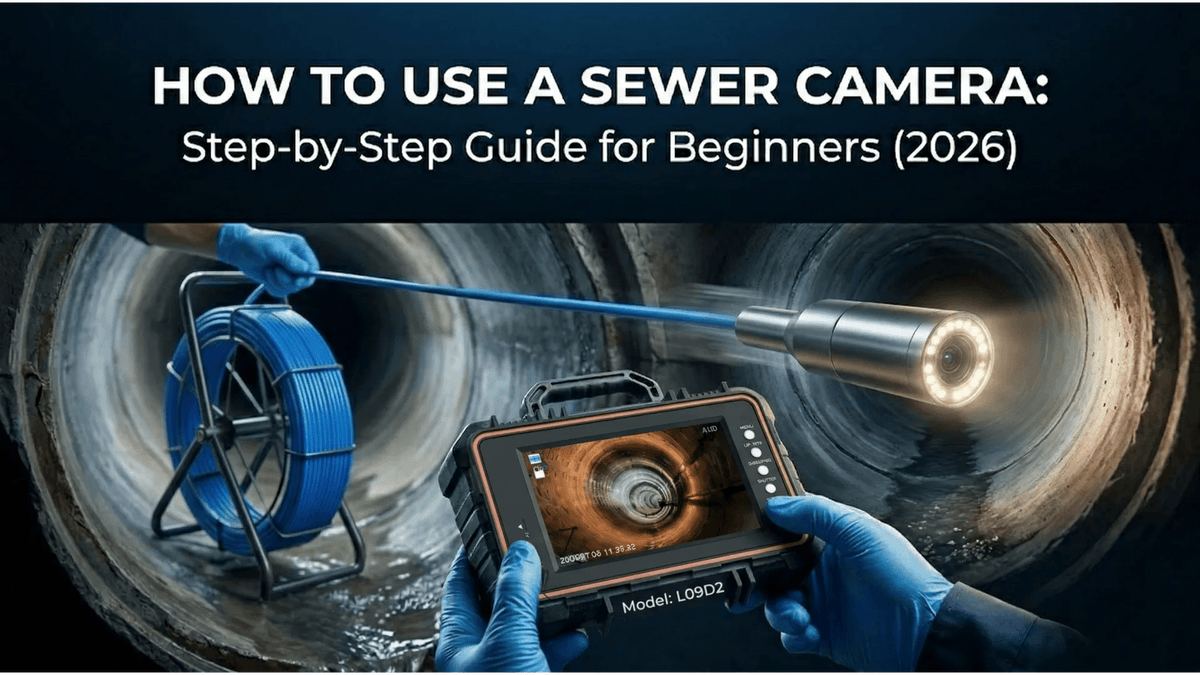
The system typically consists of three main components:
- Camera Head: A waterproof, high-resolution camera mounted on a flexible rod or cable
- Monitor/Display: A screen that shows the live feed from the camera
- Cable/Reel: A long, pushable cable (usually 100-330 feet) that feeds the camera through pipes
Why Every Plumbing Business Needs One
- Accurate Diagnostics: See exactly what's causing the problem
- Customer Trust: Show homeowners the actual issue, not just describe it
- Time Savings: Locate problems faster, avoid unnecessary digging
- Revenue Growth: Offer premium inspection services
- Documentation: Record inspections for insurance or legal purposes
Types of Sewer Inspection Cameras (2026 Update)
1. Handheld/Portable Sewer Cameras
Best for: Home inspectors, DIY enthusiasts, small plumbing jobs
- Lightweight and portable
- Battery-powered operation
- Basic recording capabilities
- Entry-level pricing ($200-$800)
2. Professional Reel Systems
Best for: Professional plumbers, contractors, municipal work
- High-resolution cameras (1080P or 4K)
- Self-leveling technology
- Sonde/locator integration
- Professional pricing ($1,500-$5,000+)
3. Smart Inspection Cameras (2026 Trend)
Best for: Tech-forward professionals
- Automatic defect detection
- Cloud storage integration
- Mobile app connectivity
- Real-time annotation sharing
Key Features to Consider (2026 Edition)
Camera Resolution
| Resolution | Best For | Price Range |
|---|---|---|
| 720P | Basic inspections, tight budgets | $200-$800 |
| 1080P | Professional use, detailed diagnostics | $800-$2,500 |
| 4K | High-end commercial, maximum detail | $2,500+ |
| AI-Enhanced | 2026 premium models | $3,000+ |
Cable Length
- 100 feet: Residential lines, home inspections
- 200 feet: Commercial buildings, longer residential runs
- 330 feet: Municipal work, industrial applications
- 500+ feet: Heavy-duty commercial (2026 new standard)
Pro Tip: Choose a cable length 20-30% longer than your typical maximum need.
Self-Leveling Technology
Self-leveling cameras automatically rotate the image to keep it upright. 2026 models now include auto-calibration and gyroscopic stabilization for smoother footage.
How to Choose the Right Sewer Camera in 2026
Step 1: Define Your Primary Use Case
Residential Plumbers: 100-200 foot cables, 1-inch camera heads, 1080P resolution, mobile app connectivity
Commercial Contractors: 200+ foot cables, larger monitors, recording capabilities, cloud storage
Home Inspectors: Portability, battery life, ease of use, instant report generation
Municipal/Industrial: 330-500 foot cables, 4K resolution, GPS tagging, rugged construction
Step 2: Set Your Budget (2026 Pricing)
- Entry Level ($200-$800): Basic functionality, shorter cables
- Professional ($800-$2,500): 1080P, 100-200ft cables, recording, app connectivity
- Premium ($2,500-$4,000): 4K, 200-330ft cables, AI features, cloud integration
- Enterprise ($4,000+): 500ft+ cables, full AI suite, team collaboration tools
Step 3: 2026 Must-Have Features Checklist
- Minimum 1080P resolution (4K preferred)
- Required cable length + 30% buffer
- Recording capability (local + cloud)
- Self-leveling with gyro stabilization
- Mobile app connectivity
- Battery life: 4+ hours continuous use
- Waterproof rating: IP68 minimum
Step 4: Consider Long-Term Value
A cheaper camera that breaks after 6 months costs more than a durable professional model. Consider:
- Build quality and warranty (2026 standard: 2-3 years)
- Availability of replacement parts
- Software update support
- Cloud storage subscription costs
- Brand reputation and US-based support
Top Use Cases for Sewer Cameras
1. Pre-Purchase Home Inspections
Home inspectors use sewer cameras to evaluate the condition of underground pipes before a home sale. This can reveal:
- Tree root intrusions
- Pipe collapses
- Bellied sections (sagging pipes)
- Corrosion and deterioration
2. Routine Maintenance
Regular pipe inspections help identify problems before they become emergencies:
- Early crack detection
- Buildup monitoring
- Preventive cleaning verification
3. Emergency Diagnostics
When drains back up or pipes fail, a sewer camera quickly identifies:
- Blockage location and composition
- Pipe damage extent
- Required repair approach
4. Post-Repair Verification
After pipe cleaning or repair, verify the work was completed successfully:
- Confirm blockage removal
- Verify pipe integrity
- Document completed work
Maintenance Tips for Long Camera Life
Daily Care
- Clean the lens after each use with a soft, damp cloth
- Dry the cable completely before storage
- Inspect for damage to the cable sheath
- Charge batteries to maintain readiness
Weekly Maintenance
- Sanitize the camera head with appropriate cleaning solutions
- Check connections for corrosion or looseness
- Test recording functions if equipped
- Update software/firmware if applicable
Storage Best Practices
- Store in a dry, temperature-controlled environment
- Keep cable loosely coiled (not tight)
- Use protective cases during transport
- Remove batteries for long-term storage
Common Problems and Solutions
Blurry or Foggy Images
No Image on Screen
Poor Lighting in Pipes
Cable Won't Push Through
Frequently Asked Questions
How much does a professional sewer camera cost?
Professional-grade sewer cameras typically range from $800 to $5,000, depending on features, cable length, and brand. Entry-level models start around $200, while premium systems with 4K cameras and 330-foot cables can exceed $5,000.
Can I use a sewer camera for drain lines?
Yes, most sewer cameras work for both sewer lines and drain lines. The key is matching the camera head size to your pipe diameter. For 1.5-2 inch drain lines, choose a camera with a head diameter under 1 inch.
How long should a sewer camera cable be?
For residential work, 100-200 feet is usually sufficient. Commercial applications may require 200-330 feet. Choose a cable length based on your longest typical run plus 20-30% buffer.
What's the difference between 720P and 1080P?
1080P cameras offer twice the resolution of 720P, providing clearer images that make it easier to identify small cracks, roots, and other defects. For professional use, 1080P is recommended.
Do I need a self-leveling camera?
While not essential, self-leveling cameras make inspections easier and presentations more professional. The image stays upright regardless of camera rotation, which is especially helpful when navigating bends.
Conclusion
A quality sewer inspection camera is one of the best investments a plumbing professional can make. It saves time, increases accuracy, builds customer trust, and opens new revenue opportunities.
When choosing a camera, focus on:
- Resolution: 1080P for professional use
- Cable length: Match to your typical jobs plus buffer
- Durability: Choose equipment built for daily professional use
- Support: Select brands with good warranties and customer service
Ready to upgrade your inspection capabilities? Explore our professional sewer camera collection featuring 1080P resolution, self-leveling technology, and durable construction designed for daily professional use.
Comments
No comments