Ir a contenido
US | ES
Select Language
Country / Region
MY POWERWILL 0
US | ES
Select Language
Country / Region
Support & Resources
Warranty Registration
Resources / Plumbers & Drain Pros

Built around
your next job.

Match the inspection setup to the work. Plan your reach, check locating compatibility, and keep your equipment ready.

Compare camera setups
EQUIPMENT & FIELD WORK
01

Match access & reach

Compare the entry point, pipe diameter, bends and required reach before choosing a camera head and cable.

Choose by pipe and reach →

02

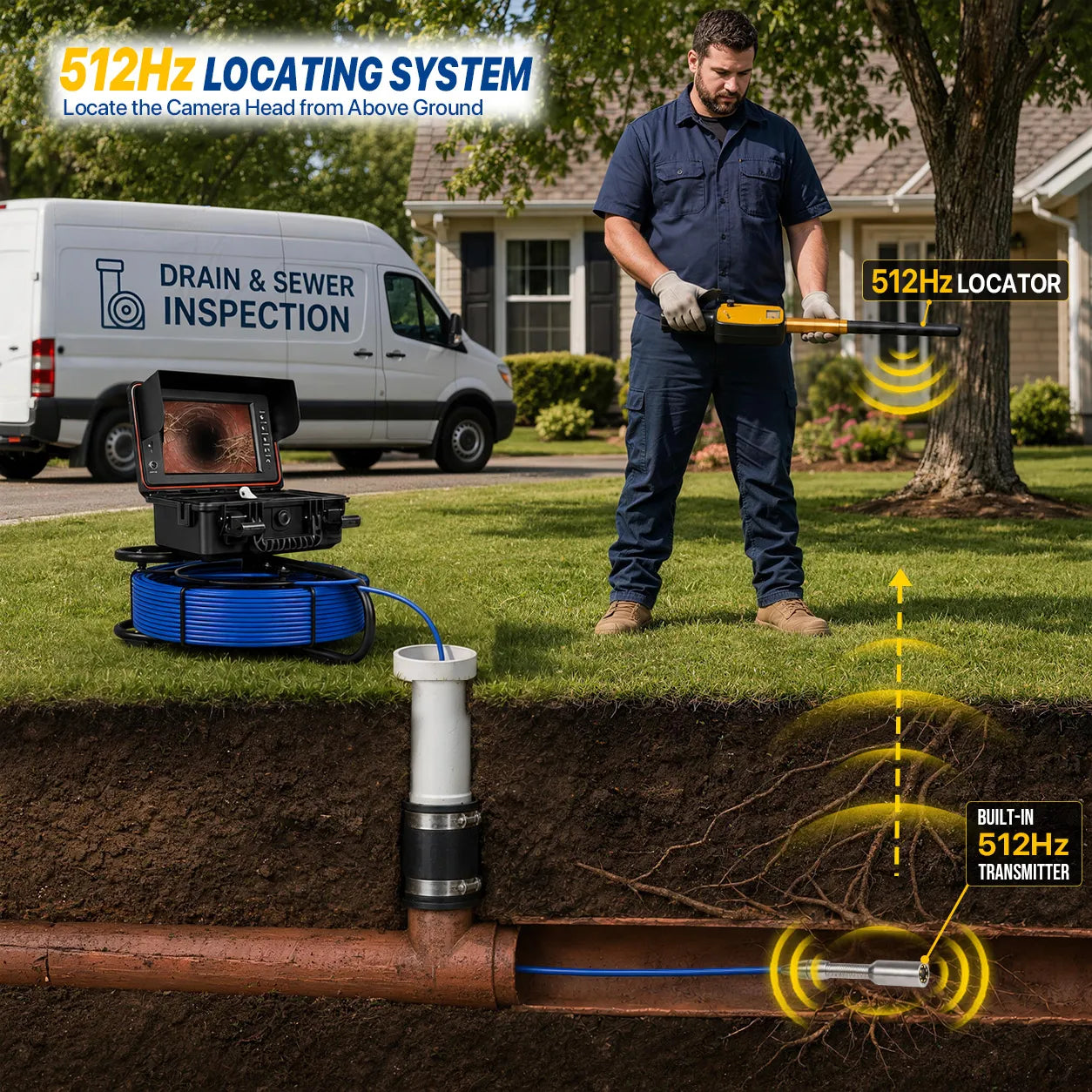
Plan above-ground locating

Understand the camera transmitter, compatible receiver and kit options before selecting a locating setup.

Explore locating setups →
03

Keep your kit working

Find replacement parts and check compatibility with your model before ordering a head, guide or other accessory.

Browse accessories →

Before you choose a system

  • Access: note the smallest pipe section, entry opening, tight bends and known obstructions. Head diameter alone does not establish bend clearance.
  • Reach: estimate the inspected route and handling needs. Nominal cable length is not guaranteed usable reach.
  • Locating: verify transmitter and receiver compatibility and whether the selected kit includes both. Cable travel is not burial depth.
  • Recording: test a saved clip and playback on the device you use for customer handoff.

A camera documents accessible pipe conditions; it does not clear a blockage or establish the location of every underground utility.

Build a repeatable end-of-job routine

Save and review the inspection files. Note areas you could not inspect. Follow your model’s instructions for cleaning, drying, charging and cable storage before the next job.

Build your job-fit brief

Use these prompts before comparing kits or contacting Powerwill. They help narrow the equipment choice without assuming one setup fits every line.

Pipe and entry
Record the smallest pipe diameter, material, access opening and bends.
Required reach
Estimate the route from the entry point, including turns; distinguish cable length from usable reach.
Handling
Note stairs, vehicle storage, carry distance and whether a wheeled reel suits the site.
Locating
Specify whether you already own a receiver, its model and supported sonde frequency.
File handoff
State whether you need saved video, still images, notes and playback on a particular device.
Existing equipment
Provide the camera model, selected configuration and a connector photo when asking about parts.

Send your requirements to Powerwill →

This is an equipment-fit enquiry. Include only the site details needed to assess compatibility.

Before every job / after every job

Before: test the complete setup
  • Check the model instructions, cable and connectors for visible damage.
  • Confirm power, lighting and a usable image before insertion.
  • Save a short test recording and replay it on the intended handoff device.
  • If locating is required, test the compatible transmitter and receiver together before the job.
After: prepare for the next inspection
  • Save the original files and record inaccessible or obscured sections.
  • Clean and dry the equipment according to its instructions; do not assume the monitor or connectors can be immersed.
  • Inspect and store the cable without sharp bends or crushing.
  • Follow the supplied battery and charger instructions.

Find your model manual → · Check replacement parts →

Compare your options

Bring your pipe sizes, typical line lengths, access conditions and locating requirements to the comparison.

Let’s find the right next step.

Have your model or inspection requirements ready.

Talk to Powerwill ↗

Comparar productos

{"one"=>"Seleccione 2 o 3 artículos para comparar", "other"=>"{{ count }} de 3 artículos seleccionados"}

Seleccione el primer artículo para comparar

Seleccione el segundo artículo para comparar

Seleccione el tercer elemento para comparar

Comparar